Interface Design for a Mobile Dating Platform
User interface design for a niche dating platform targeted at auto-racing enthusiasts
- PERIOD
- Q1 2025
- ROLE
- UI Designer
The Brief: UI design for a mobile dating platform for auto-racing enthusiasts
The brief was quite simple. Design the user experience for a dating application that caters to a unique set of users: auto-racing lovers. My role involved defining the direction for the designs around an existing brand guideline, prioritising features to build, and creating the UI designs for these features.
Understanding What Works
In order to fully translate the requirements stated by the client for the mobile application, I had to take a look at how popular dating platforms designed their applications to understand what they did, why they did it, and how the did it. I made a list of questions I needed answers to, and then highlighted two major ones:
- How did they handle new user onboarding and collect personal information?
- How was their subscription integrated into the application?
My findings combined with the brief allowed me to come up with a user flow for the first version of the application, detailing features and suggestions for a more robust version in subsequent app versions.
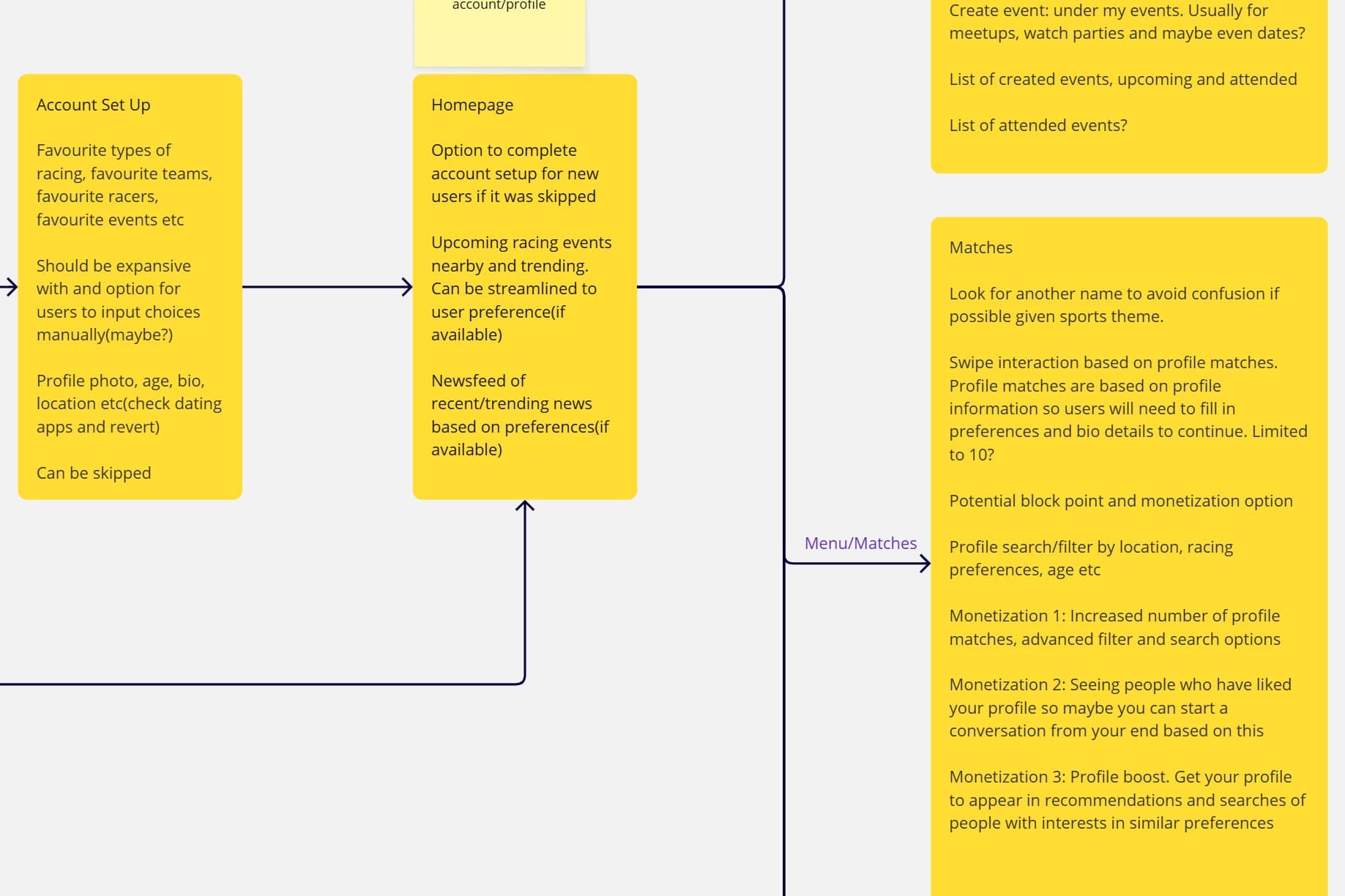
I then used the flows to draw up initial sketches of what the application would look like to speed up the high fidelity design process.
Styles and Components
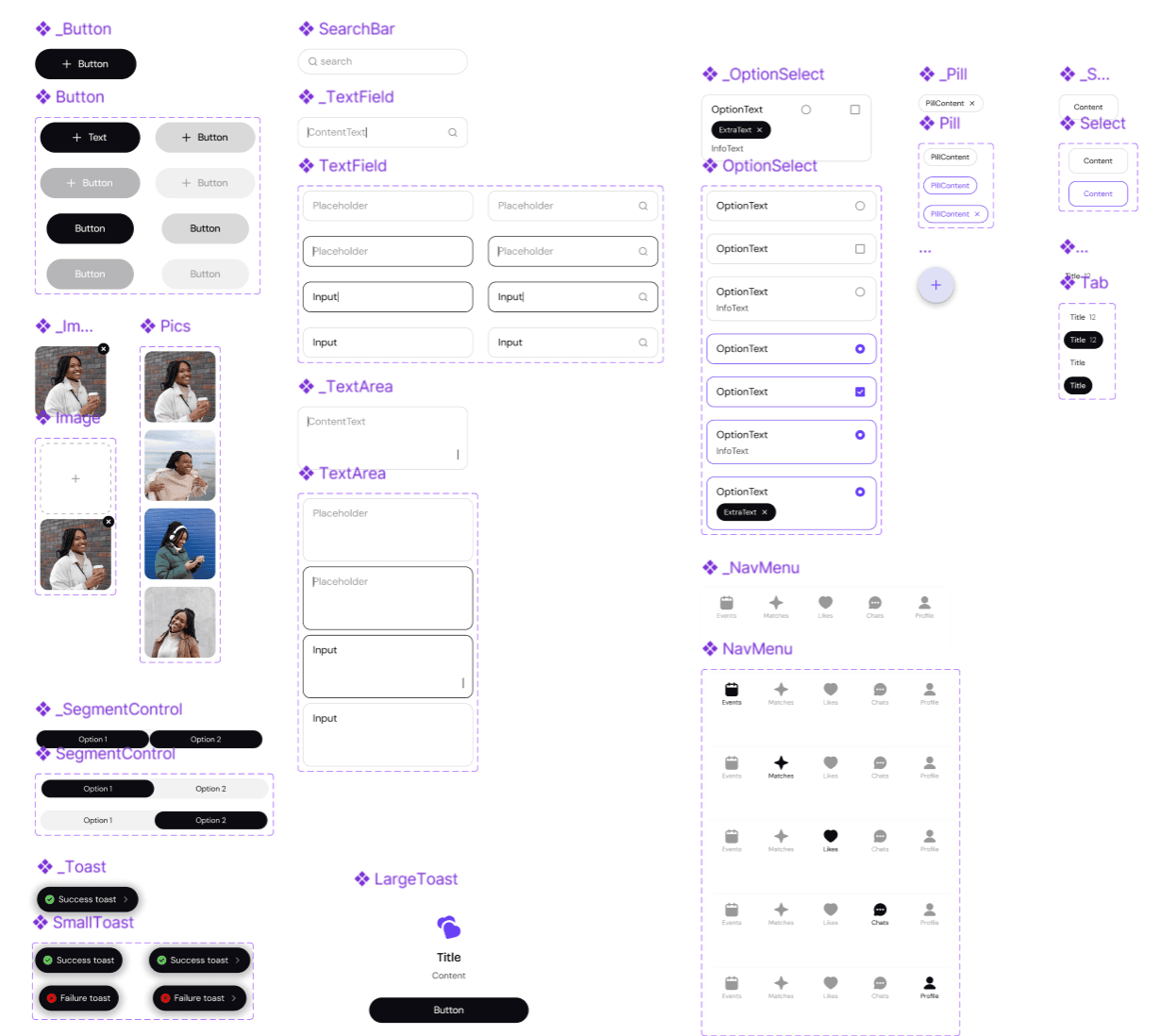
Wireframing my ideas helped me note down the initial components I would need and I could also increase the components and their states as needed during the design process. This kept my process quick as I didn't spend so much time designing components that could later be redundant for this version.
I designed colour styles, selected fonts and noted their uses, and used them alongside icons as primitives to create components. Then I detailed component states and their behaviours, and their interactions(e.g typing, swipe) when needed
Final Designs
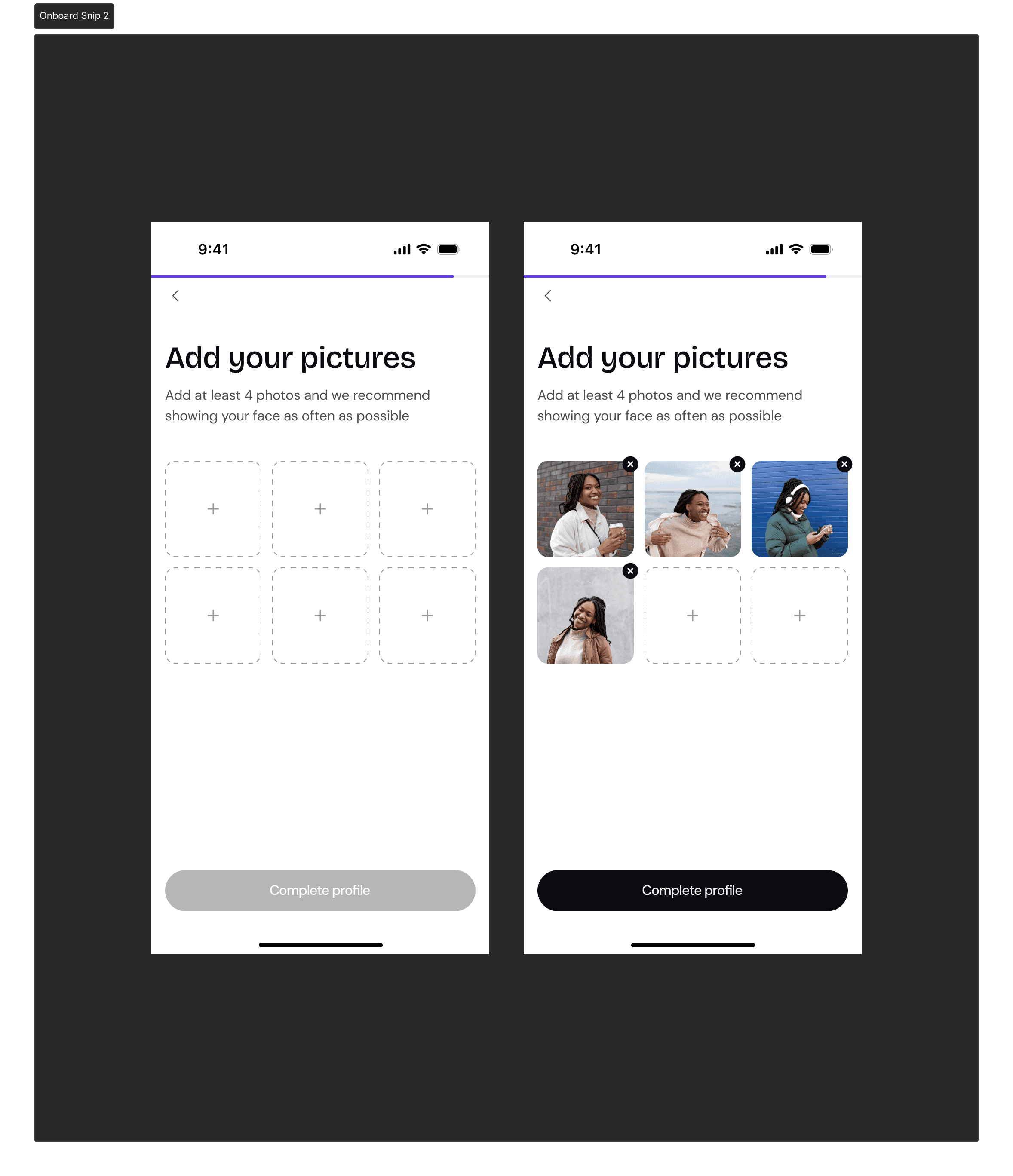
Onboarding
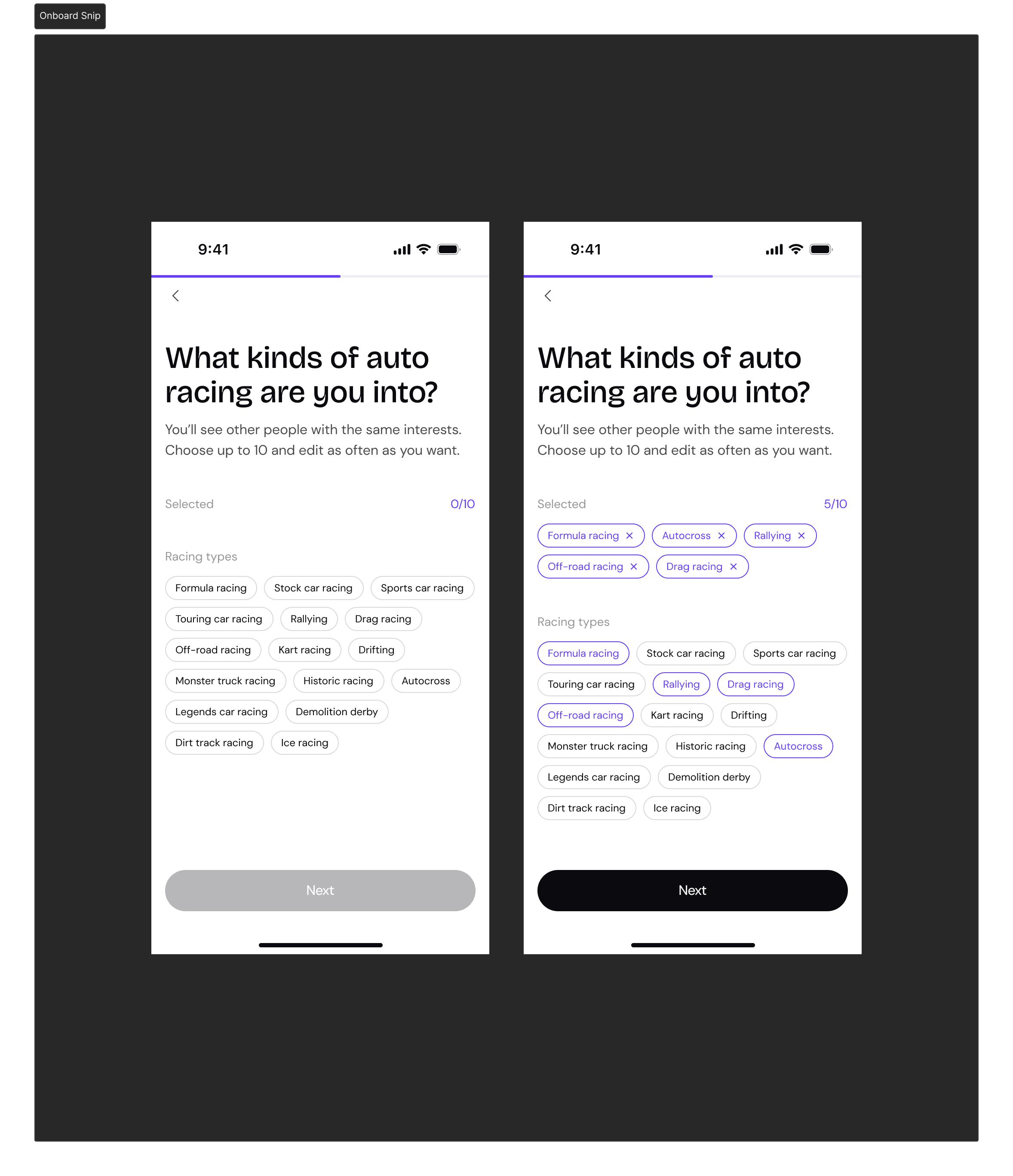
New users come into the app, create their account and fill in personal information that would inform the kind of people they would be be able to match with.
Matching
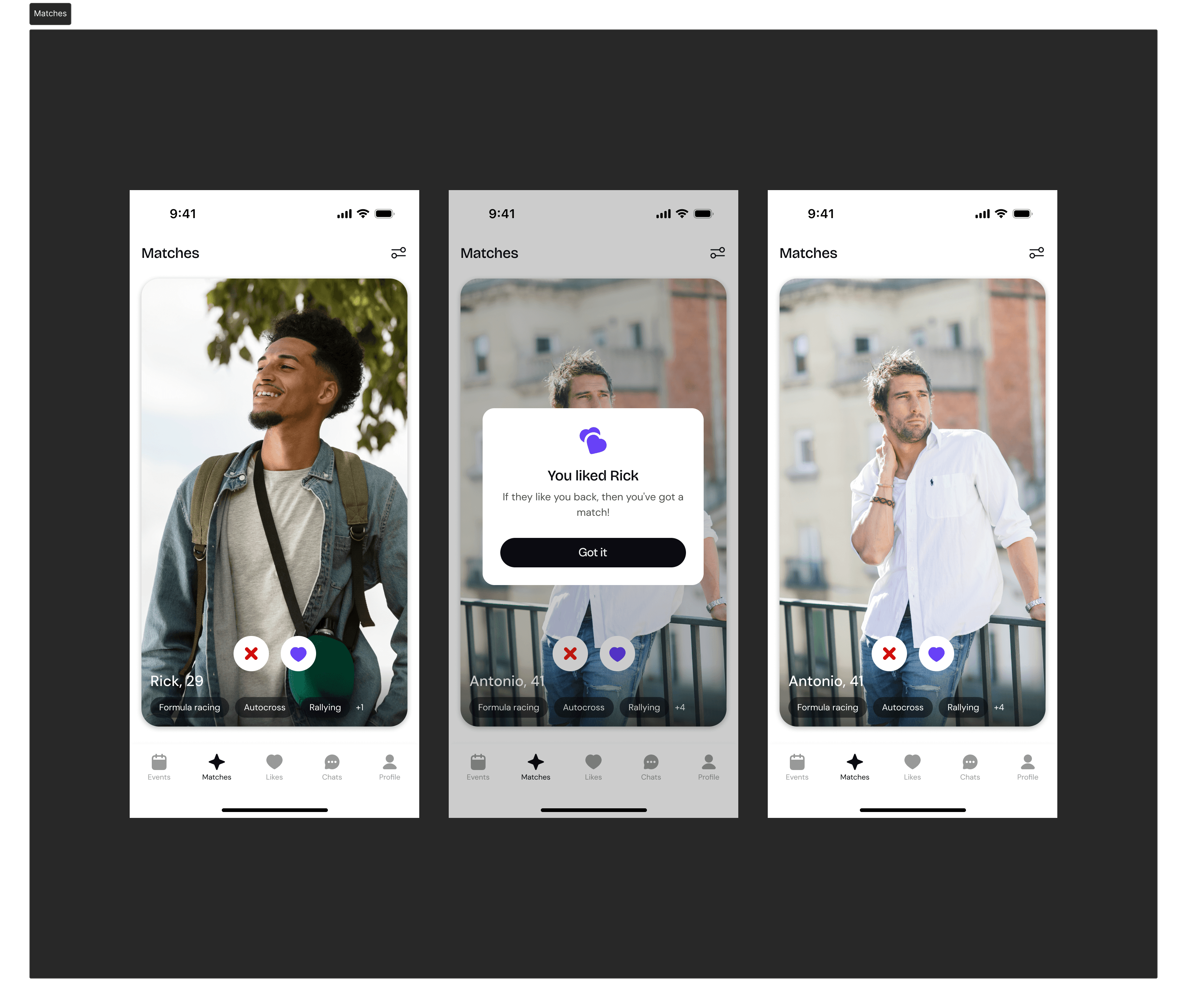
The card swipe interaction kept the matching similar to other apps in the market so users can easily perform actions they might be familiar with.
They can also edit their preset preferences in order to get different suggestions.
Events and Groups
Events were set up as an alternative way to meet people within the app. Filters let them find events based on their preferences and choose whether they would attend or not. Users can also create their own events and people can join them.
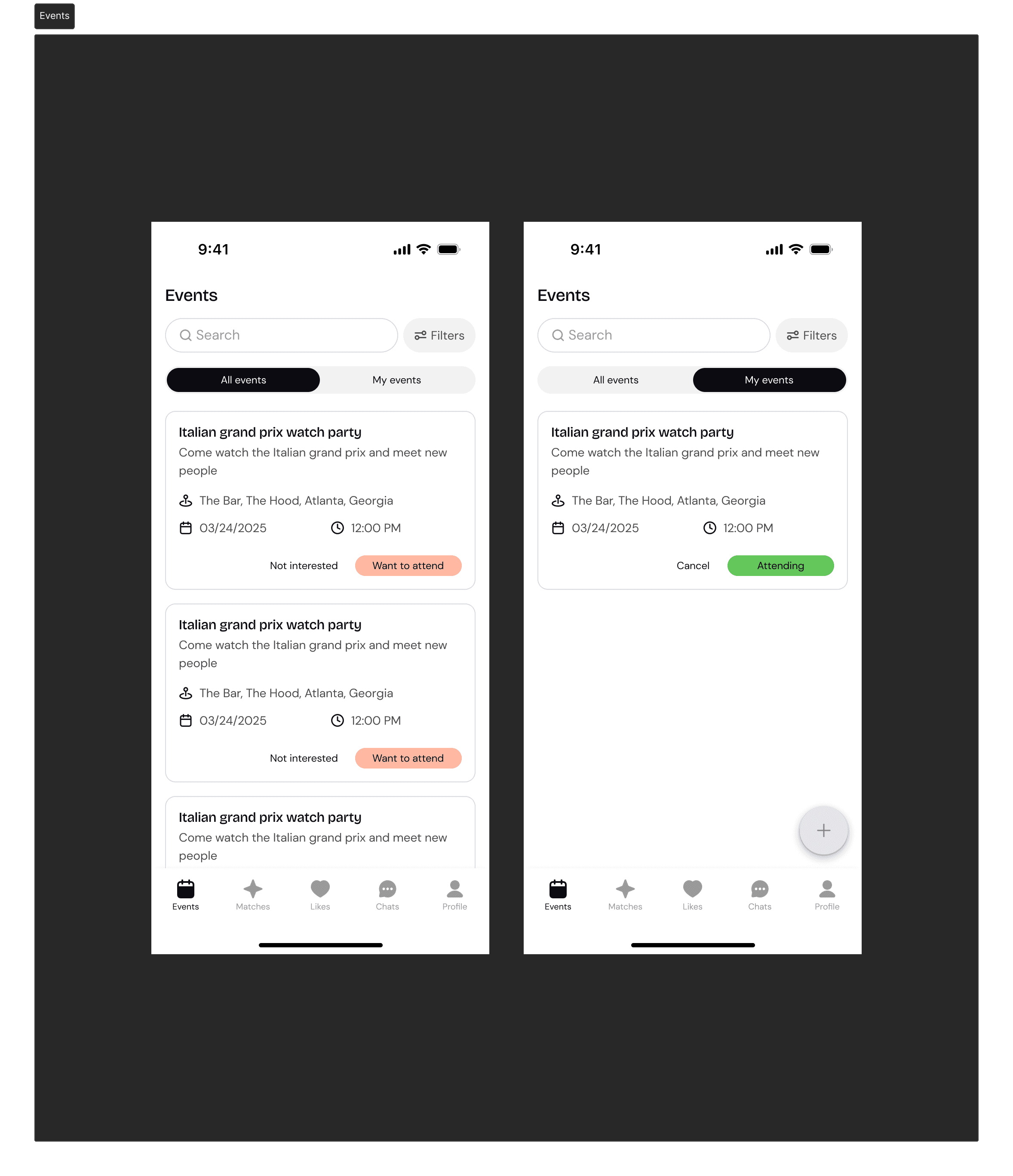
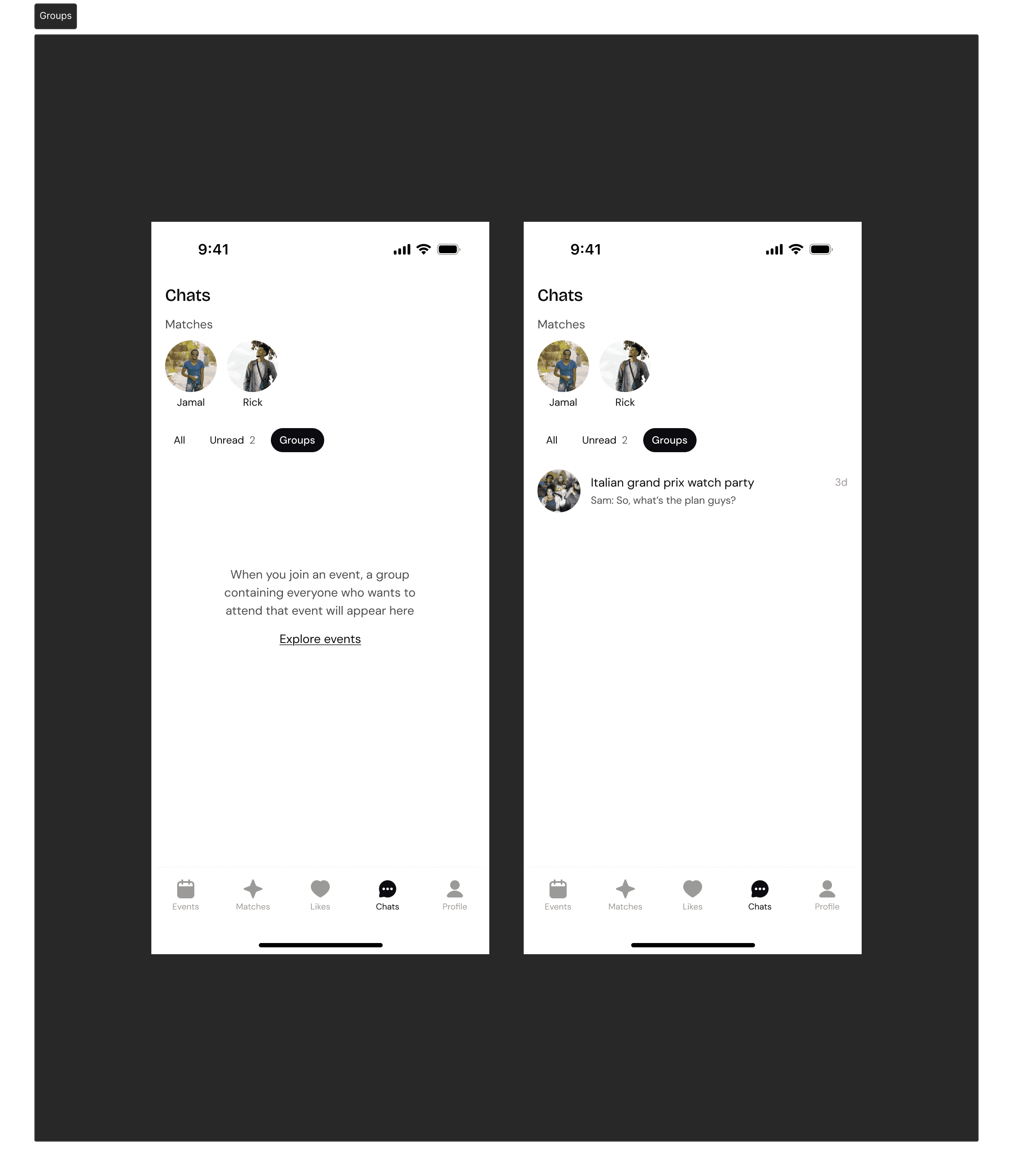
Groups came about as a way for people attending events to communicate with each other. Choosing to attend an event automatically added users to a group and they could discuss the event in detail, and get to know one another before meeting up.
Premium
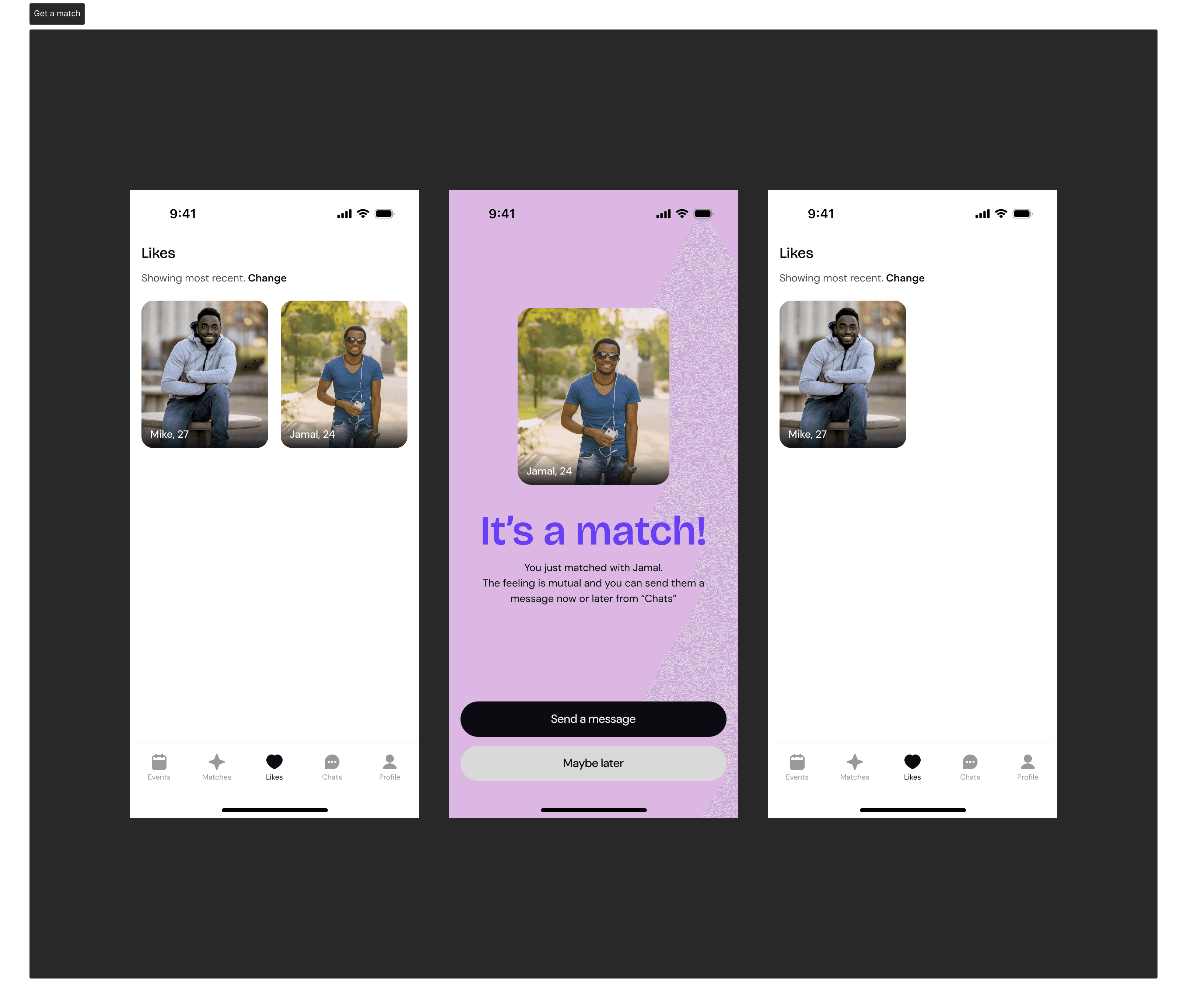
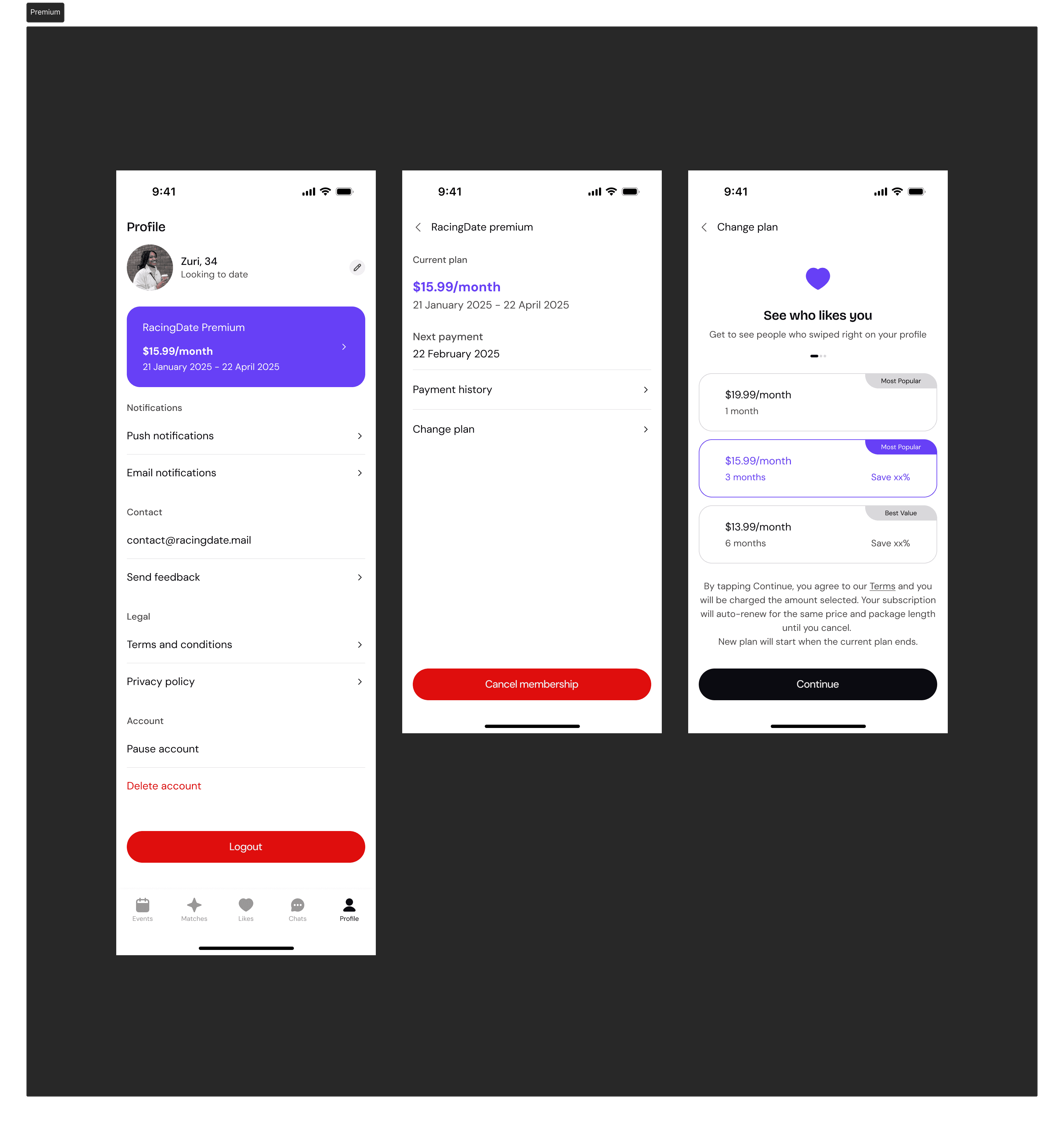
Certain features, like “Likes” where users could see those who liked their profiles, were hidden behind a paywall, while some others had their features limited.
Application Feedback
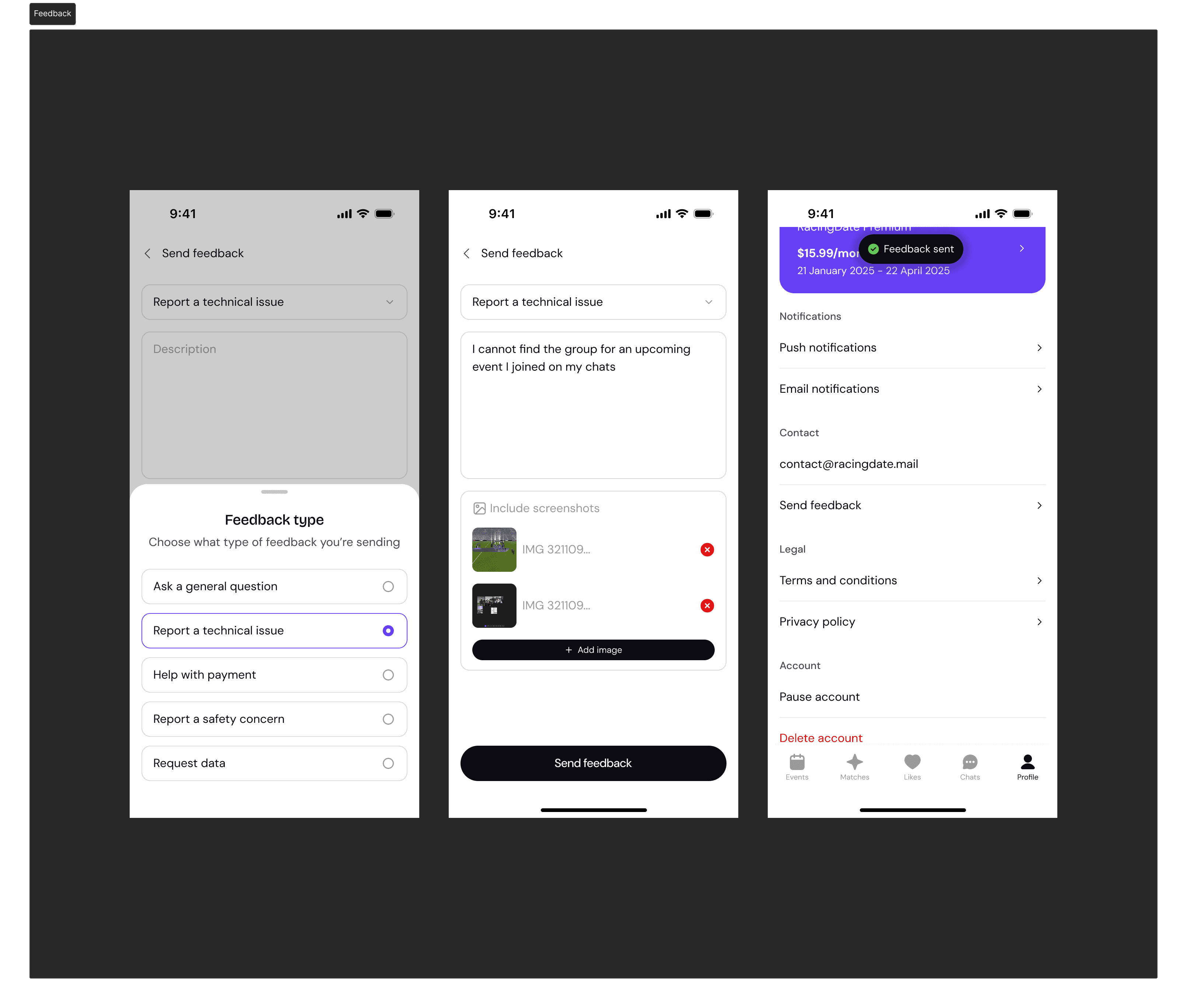
Reporting bugs and requesting assistance can easily be done in-app, allowing users to further explain their request and even add screenshots.